


Have funds in one currency but need another? You can convert directly in your Treyd Wallet in just a few steps. This is useful if your customer pays in one currency but your invoice with Treyd is in another.
If you're converting funds to repay a Treyd invoice, you can also use Convert & Settle to complete both actions in a single request.
How to convert currency
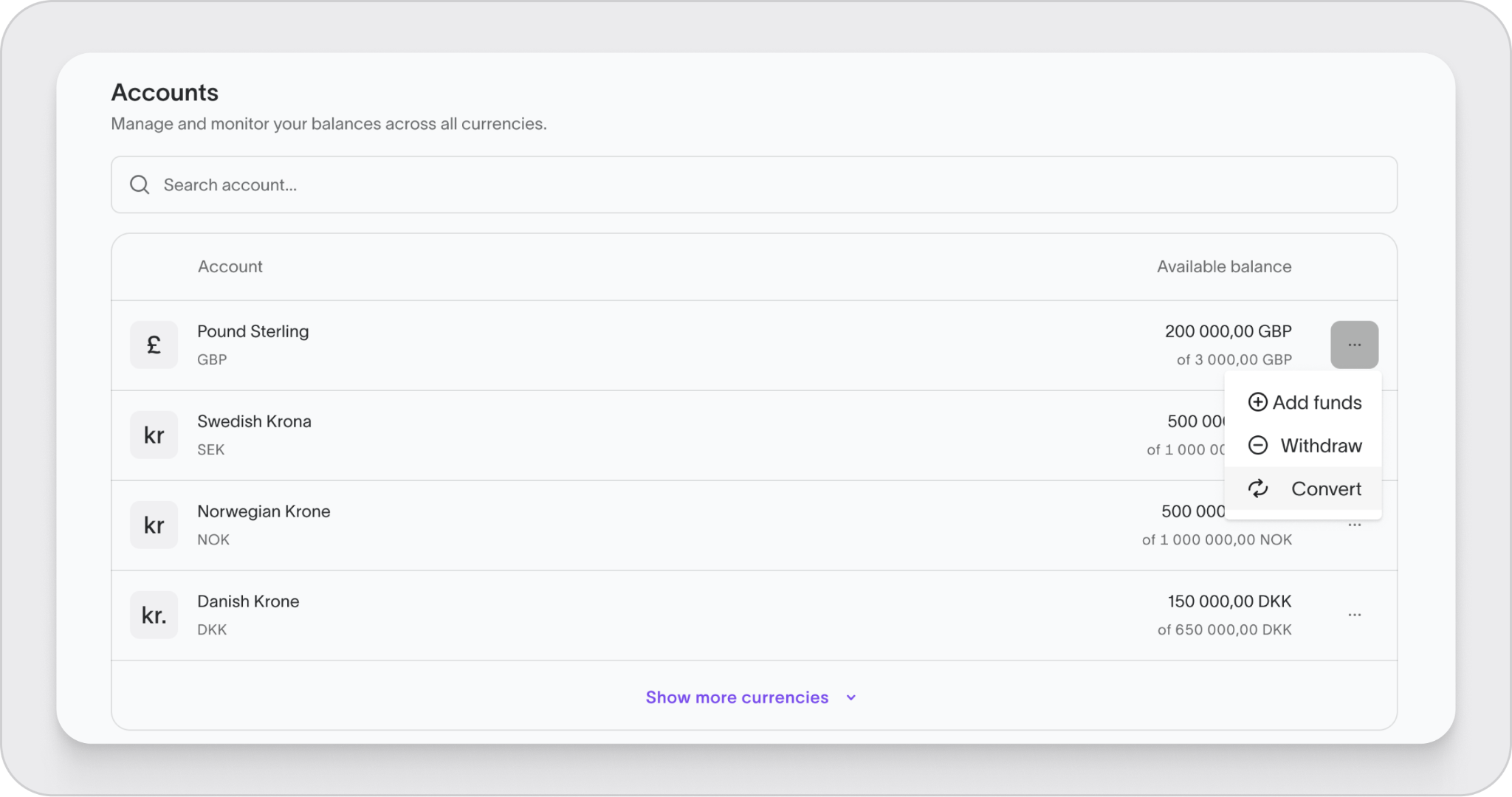
- Go to Wallet in the left-hand menu.
- Scroll to Balance breakdown.
- Click the three dots next to the balance you want to convert.
- Select Convert.
Convert and settle in one step
If you're converting funds to repay a Treyd invoice, you may not need to create a separate conversion first.
With Convert & Settle, you can convert currency and settle an invoice in a single request.
This can save time and reduce manual steps when your wallet balance is held in a different currency than the invoice you want to repay.
How it works
- Open Invoices
- Select the invoice you want to settle
- Choose a wallet account with available funds
- Review the indicative FX rate
- Submit the request
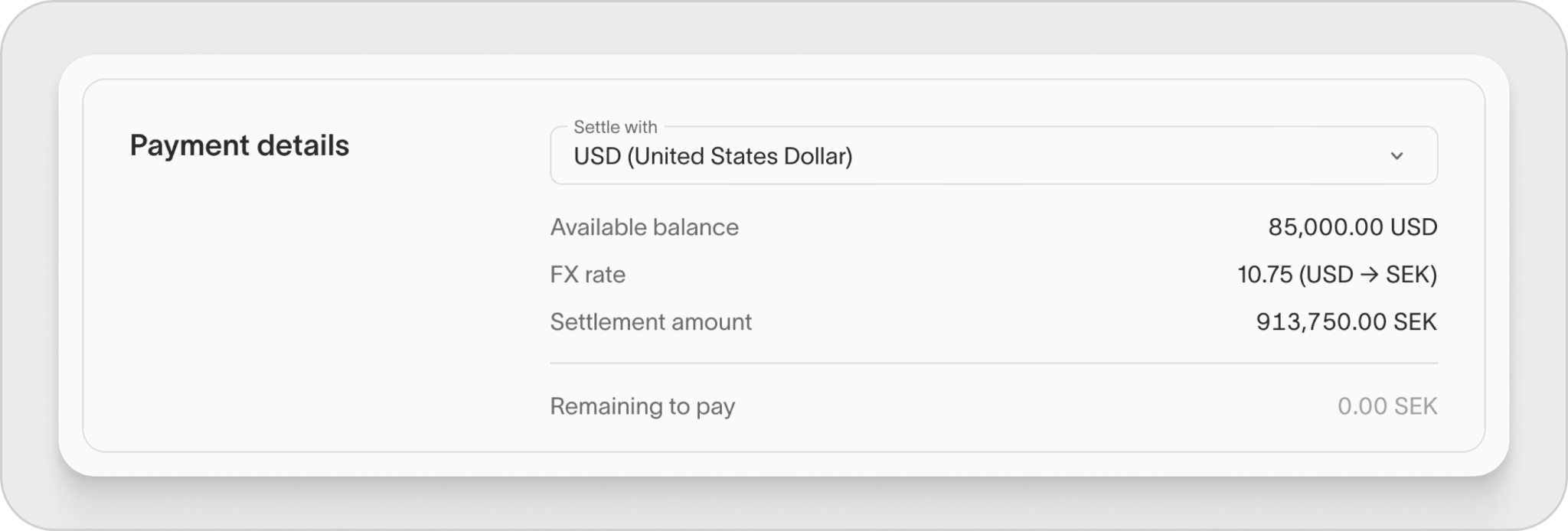
Treyd will process the currency conversion and invoice settlement together.
Good to know
The FX rate shown when you submit the request is indicative. The final rate applied may differ slightly when the request is processed.
Set up your conversion
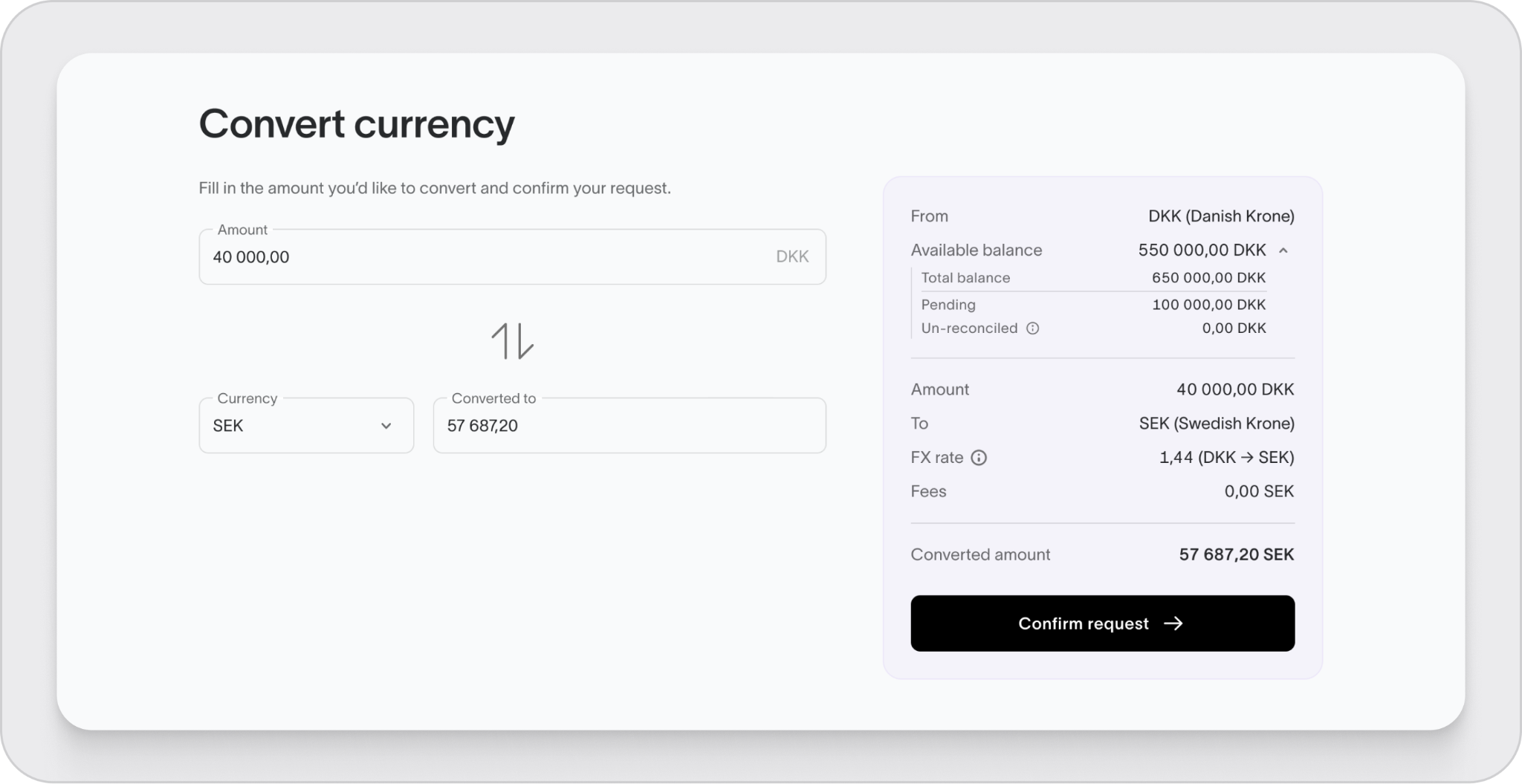
- Enter the amount you want to convert (up to your available balance).
- Select the currency you want to convert into.
- Review the FX rate and the final amount you’ll receive.
Confirm the conversion
- Click Confirm request to complete the conversion.
After a quick approval on our side, the converted funds will appear in your wallet in the new currency.
You’re all set. Your funds are ready to use in the currency you need

