


 302
302
Repay your invoices directly through your Treyd Wallet for a faster, clearer payment flow. This helps you unlock your limit sooner, simplify reconciliation, and avoid unnecessary international transfer fees.
What this article covers
- How to repay an invoice via your wallet
- What happens after you make a payment
- Key things to keep in mind
How wallet repayment works
On eligible invoices, you’ll see the option to repay using your wallet.
To get started, you can:
- Use your wallet balance, or
- Transfer funds to your wallet
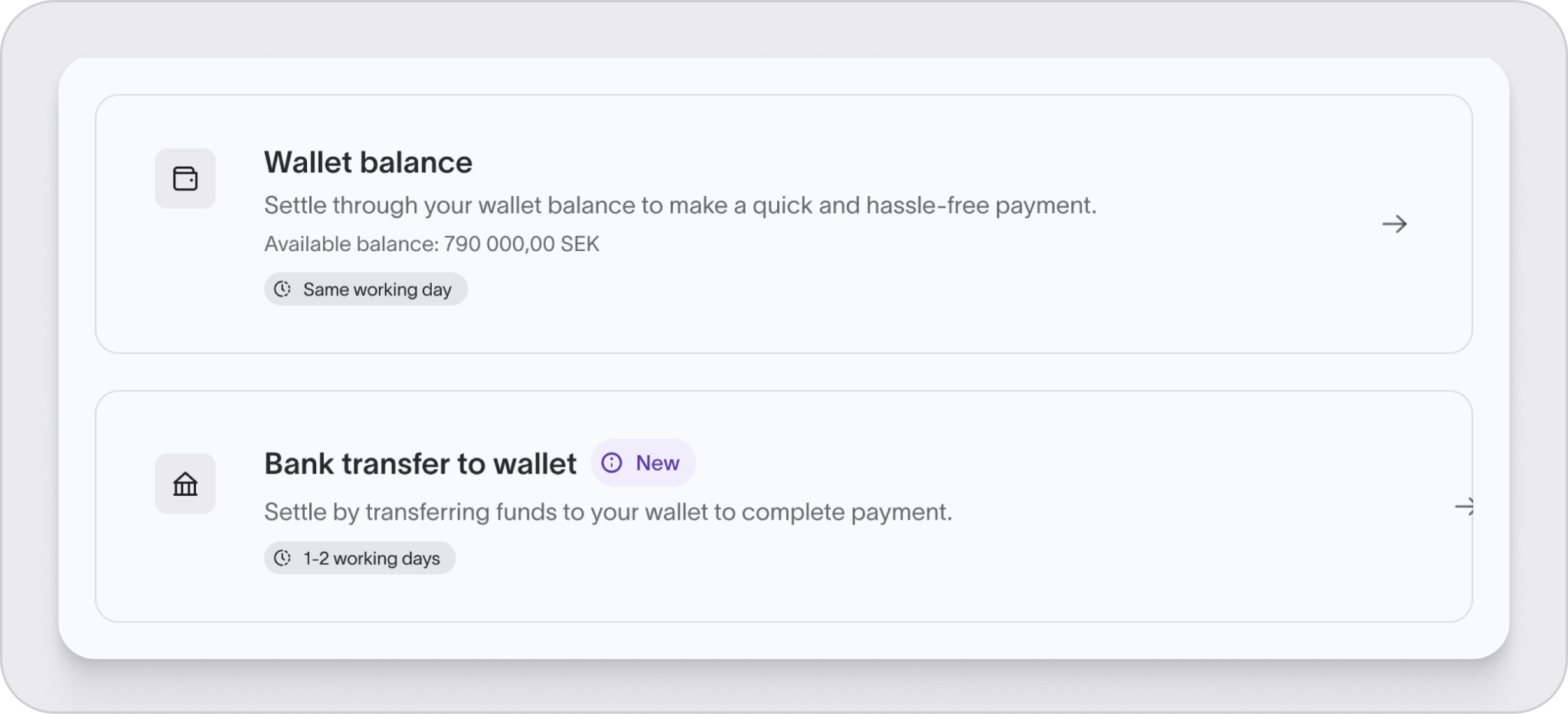
How to repay via Treyd Wallet
1. Send funds to your wallet
Transfer the repayment amount from your bank using your wallet details.
You can find these:
- On eligible invoices via Transfer to wallet
- In the Wallet section
Make sure to:
- Use the correct currency account
- Include the exact reference from your invoice
Tip: If the reference matches, your payment will be applied automatically once it arrives.
2. Wait for funds to arrive
Your transfer will typically arrive in your wallet almost instantly, depending on your bank and transfer method.
3. Settle the invoice (if needed)
If your payment wasn’t automatically matched:
- Go to Invoices
- Select one or multiple invoices
- Click Settle
- Choose Wallet
You can now settle multiple invoices in one action for a faster repayment flow.
Prefer handling invoices individually? The original one-at-a-time settlement flow is still available.
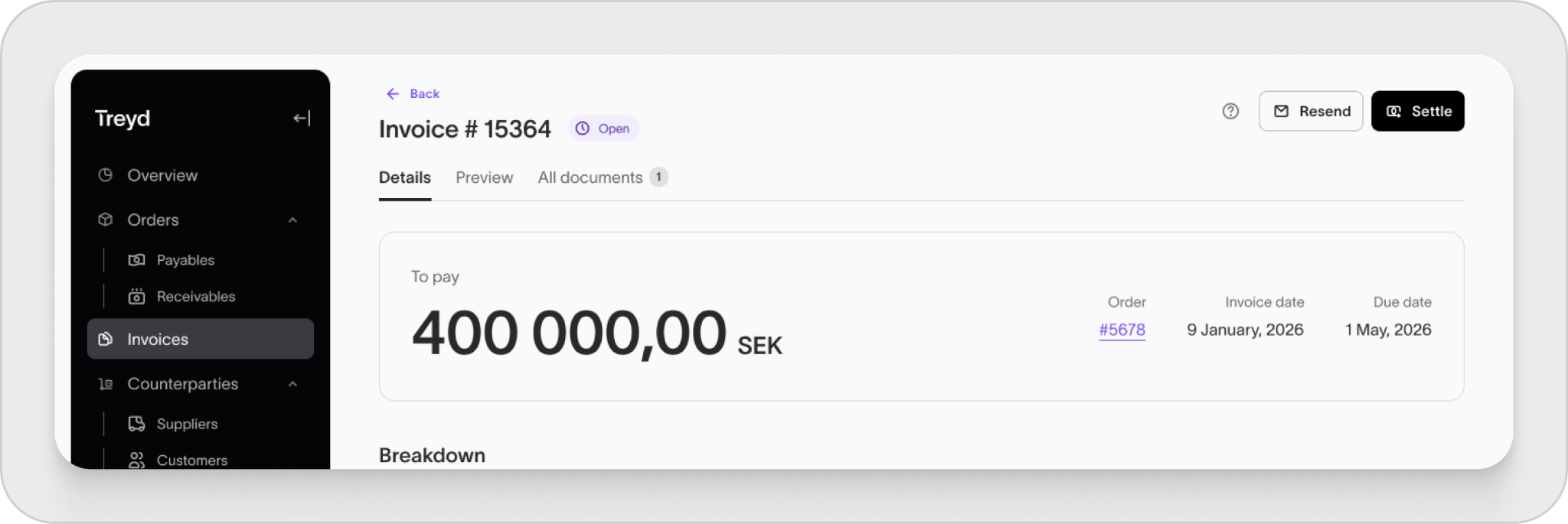
4. Invoice is settled
Once the funds are applied:
- The invoice is marked as paid
- Your Treyd limit is freed up
What happens after you pay
- Faster limit unlock: Your limit is freed as soon as you settle the invoice
- Clear confirmation: You’ll see when the invoice is fully settled
- Simpler reconciliation: Payments are easier to track and match
- Faster repayments: Settle multiple invoices at once directly from your wallet
Important to know
- Funding your wallet does not settle the invoice on its own
- The invoice is only considered paid once funds are applied
- Include the correct reference to enable automatic matching
- If the reference is missing or incorrect, you’ll need to settle the invoice manually
Wrap up
Using your Treyd Wallet gives you a more controlled and efficient way to repay invoices — with faster limit updates, clearer tracking, and smoother payments.

